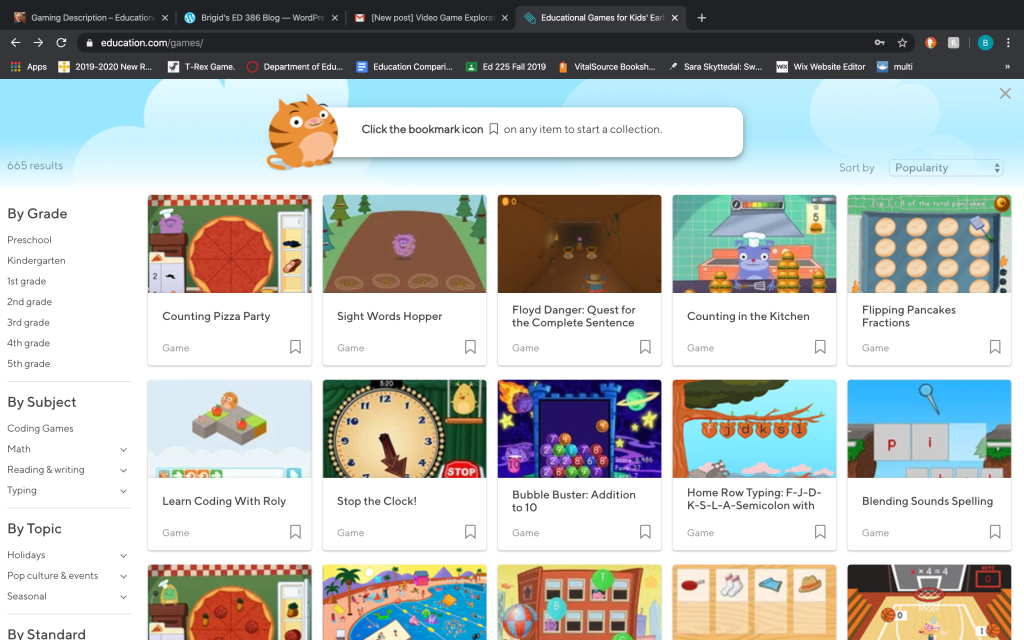
The website I chose for my project was education.com/games. There are many options to chose from. This website touches on every subject that would be taught in school. There are some extra games to play on this website but they are a majority of educational games.
I am playing the game on both my iPhone and Macbook. I chose these games to play because it gives a variety of options when playing. You can play counting games and site word games on the same website. This would be a great source of games for students to play on their own during centers. You do have to create a log in for this so it can save your progress, usually for games with a log in the school will create one and everyone uses it. I think the games are entertaining. You can chose what grade your student is in so it goes from pre-k to 5th grade. It is more challenging to play on a cell phone because it does have ads on the screen. I would also do this on an activeboard to help guide students with the game. This way you can do a guided game or call students up to the board. This is another way to integrate play into the classroom. We observed play in the classroom last year but not with video games. I have not seen video games played in the classroom setting yet.
I chose this website because students can play at home and at school with these games. There are multiple ways to sign in you can be a teacher and assign students to play the game- which I am still trying to figure out. You are also able to sign in as a parent and check your child’s progress, both of these option are great to get your student some extra help in those lessons. This website also states which common core standards it follows and this will help the teacher stay on track and easily connect it to a lesson plan.
I believe this is a reliable resource because it is education.com but also it goes by common core standards. I think if someone put this much effort into a website, especially going as far as categorizing the game into standards. My personal favorite so far has been the sight word hopper, I think students would have a great time playing this. This is an easy way to practice and level up with words the students need to know.
 Brigid's ED 386 Blog